
This is a merged information page for Item #2506.
View normal product page.
Pololu item #:
2506
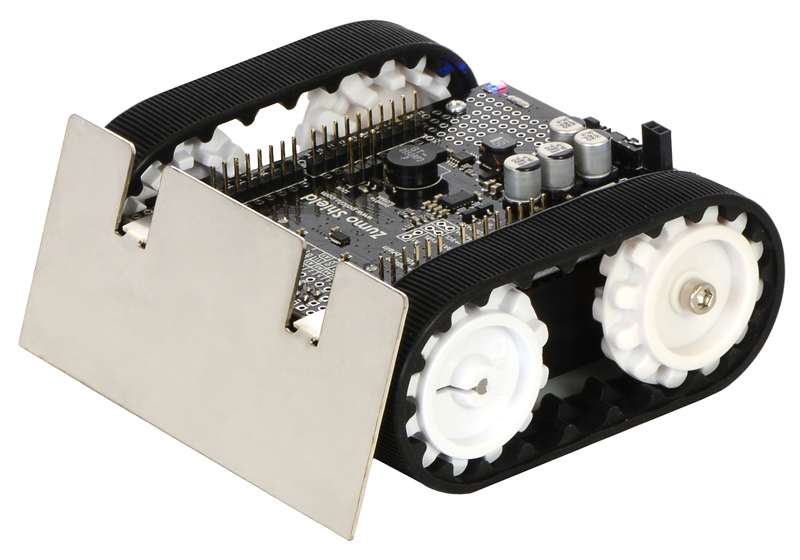
The Pololu Zumo robot is an Arduino-controllable tracked robot platform that is less than 10 cm × 10 cm—small enough to qualify for Mini Sumo. It includes two micro metal gearmotors coupled to a pair of silicone tracks, a stainless steel bulldozer-style blade, an array of six infrared reflectance sensors for line following or edge detection, a 3-axis accelerometer and magnetometer, and a buzzer for simple sounds and music. Just add 4 AA batteries and an Arduino (or compatible controller) and you are ready to push! No soldering or assembly is required.
 |
Zumo Robot for Arduino. |
|---|
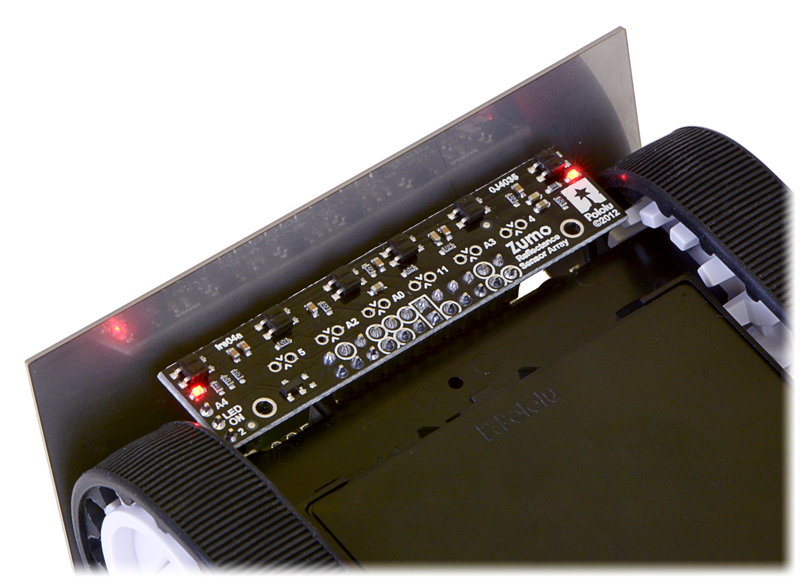 |
Zumo reflectance sensor array on a Zumo robot, bottom view. |
|---|
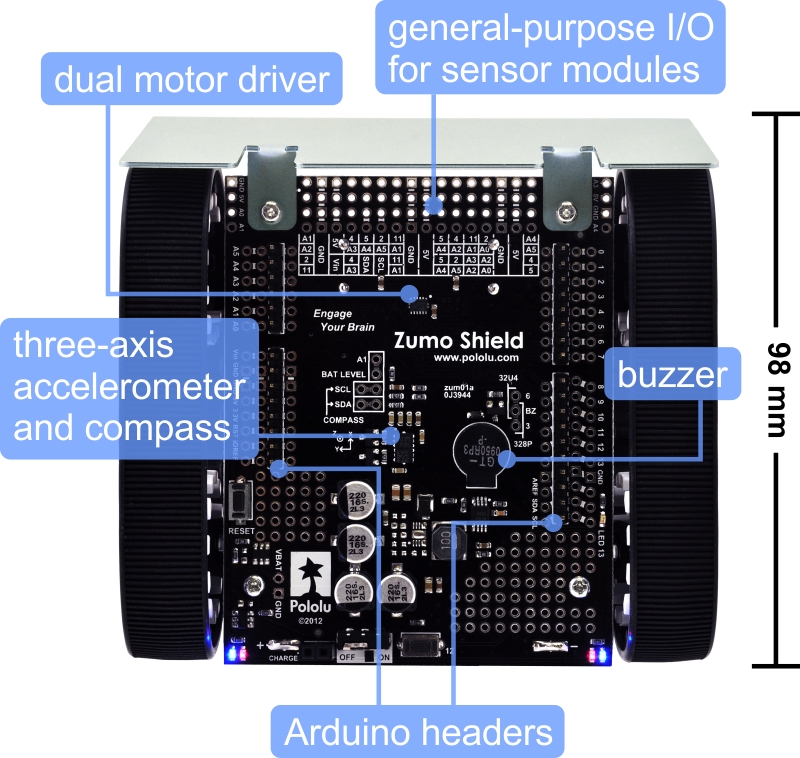 |
Zumo Shield for Arduino, labeled top view. |
|---|
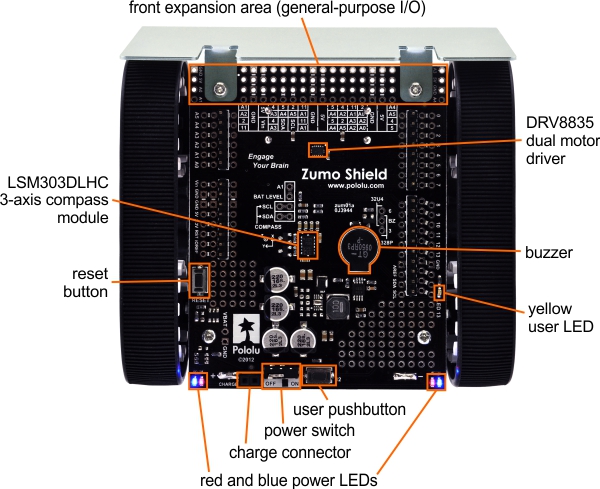 |
Zumo Shield for Arduino, top view with labeled components. |
|---|
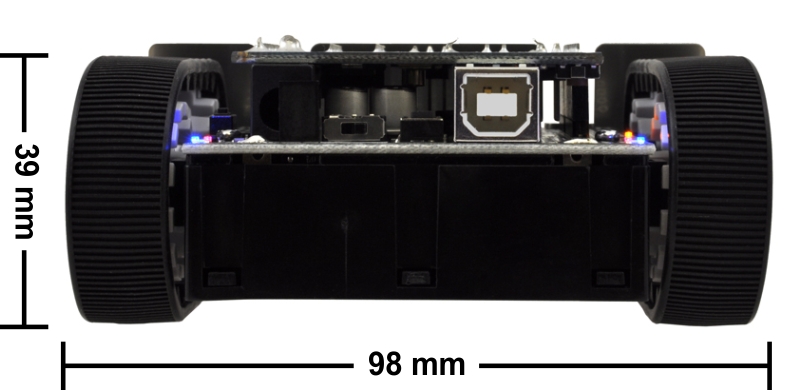 |
Zumo robot assembled with a Zumo Shield and Arduino Uno, back view. |
|---|
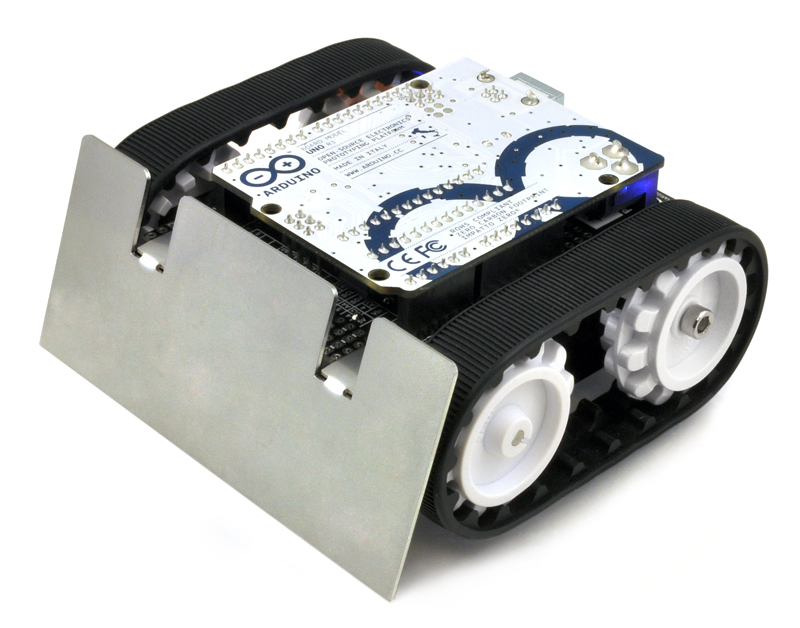 |
Assembled Zumo robot for Arduino with an Arduino Uno (with original white sprockets). |
|---|
New version available: This product has been replaced by the newer Zumo Robot for Arduino, v1.2 (Assembled with 75:1 HP Motors), which includes a gyroscope as well as a newer accelerometer and magnetometer. The new version is a drop-in replacement except for a few small changes to the magnetometer and accelerometer code.
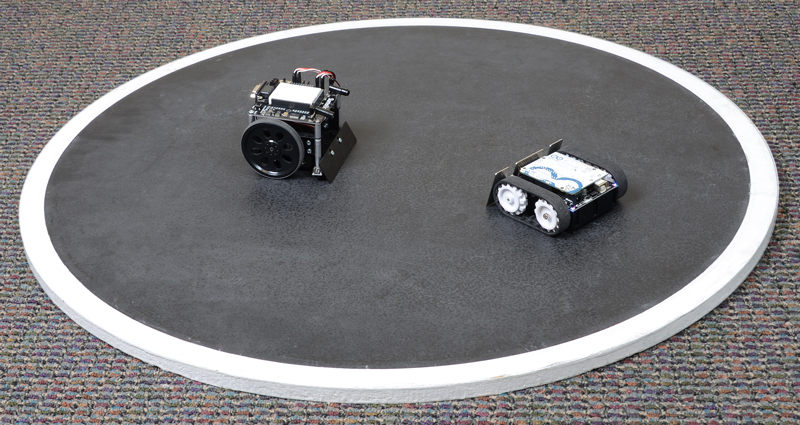 |
A Zumo robot preparing to attack a Parallax SumoBot. |
|---|
|
Zumo Robot for Arduino. |
|---|
The Zumo robot is a low-profile tracked robot platform intended for use with an Arduino (or compatible device) as its main controller. It measures less than 10 cm on each side and weighs approximately 300 g with an Arduino Uno and batteries (165 g without, as shipped), so it is both small enough and light enough to qualify for Mini-Sumo competitions. It uses two 75:1 HP micro metal gearmotors to drive the treads, providing plenty of torque and a top speed of approximately 2 feet per second (60 cm/s), which makes it much more agile than competing robots like the Solarbotics Sumovore and Parallax SumoBot while still offering plenty of control. The Zumo robot includes a 0.036"-thick laser-cut stainless steel sumo blade mounted to the front of the chassis for pushing around objects like other robots, and a reflectance sensor array mounted along the front edge of the Zumo (behind the sumo blade) allows the Zumo to detect features on the ground in front of it, such as lines for following or edges for avoiding.
The Zumo control board is essentially a shield for the Arduino Uno or Leonardo, both of which can be plugged directly into the shield’s male header pins, face down. (It is not compatible with the Arduino Mega or Due, but it can be used with older Arduinos that have the same form factor as the Uno, such as the Duemilanove.) The shield includes dual motor drivers, a buzzer for playing simple sounds and music, a user pushbutton, and a 3-axis accelerometer and compass. It also boosts the battery voltage to power the Arduino and breaks out the Arduino I/O lines, reset button, and user LED for convenient access and to accommodate additional sensors.
Our Zumo Arduino libraries make it easy to interface with all of the integrated hardware, and we provide a number of sample programs that show how to use the Zumo’s reflectance array, pushbutton, buzzer, and motors. We have also written a basic LSM303 Arduino library that makes it easier to interface the LSM303DLHC 3-axis accelerometer and magnetometer with an Arduino.
The robot ships as shown in the main product picture; no assembly or soldering is required. An appropriate Arduino (or compatible controller) and four AA batteries are required but not included.
|
|
|
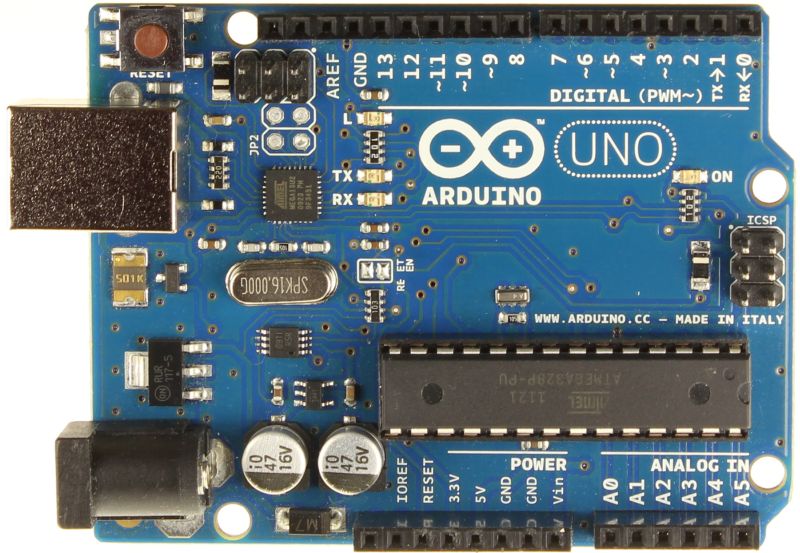 |
Arduino R3, top view. |
|---|
 |
A variety of Sharp distance sensors. |
|---|
For those interested in soldering and assembling their own Zumo, the Zumo Robot Kit for Arduino contains the parts necessary to assemble your own Zumo robot, but allows you to select a different gear ratio micro metal gearmotor to make your Zumo faster or stronger. Note that unlike the assembled version, the kit does not include a Zumo reflectance sensor array.
 |
Contents of the Zumo robot kit for Arduino. |
|---|
This collection of libraries and examples for the Arduino that make it easy to program an Arduino-controlled robot built with Pololu’s Zumo Shield or Zumo robot kit (also available fully assembled).
This is a library for the Arduino that interfaces with our LSM303D, LSM303DLHC, and LSM303DLM 3D compass and accelerometer carriers as well as the compass and accelerometer ICs on the MinIMU-9 v3 and AltIMU-10 v4 (it also works with older versions of those boards, some of which used the LSM303DLH and LSM303DLHC). It makes it simple to configure the device and read the raw accelerometer and magnetometer data, and it has a function for computing the tilt-compensated heading for those looking to use the LSM303 as a tilt-compensated compass.
This library can be used to program an Arduino-controlled Zumo through MATLAB and Simulink. It provides driver blocks for all the sensors present on the Zumo Robot as well as example models showing their usage.
This tutorial on the Adafruit Learning System guides you through the process of programming a Zumo robot with Simulink.
This article was written by Professor Erich Styger for his class on embedded systems programming at the Lucerne University of Applied Sciences and Arts. It describes various ways to tweak the performance of a Zumo to be more competitive in a Mini Sumo competition. Note that his Zumos use a custom PCB rather than our Zumo shield for Arduino; our shield has a lot of capacitance in parallel with the batteries that generally prevents the “battery inertia” problem Erich describes.
This robot is uses our Zumo robot kit, 75:1 micro metal gearmotors, and a Zumo reflectance sensor array. Instead of an Arduino it uses a Freescale FRDM-KL25Z as the microcontroller board, and sample code is available for line following and maze solving. By Erich, March 2013.
No FAQs available.
We posted about a Simulink library for the Zumo robot recently, and now a tutorial that teaches you how to use that library to program a Zumo robot...
MathWorks, the producer of technical computing software including MATLAB and Simulink, has released a Simulink library for the Zumo robot. The...
In this video, Brian Douglas uses our MinIMU-9 and Zumo Robot to show how to build a control system model for a robotic car without first knowing...
In this video, Brian Douglas demonstrates the difference between open-loop and closed-loop control in an uncertain environment using a Zumo Robot.