Support »
Pololu AVR C/C++ Library User’s Guide
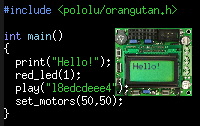 |
A simple program written with the Pololu AVR Library. |
|---|
View entire document on a single page.
You can also view this document as a printable PDF.
- 1. Introduction
- 2. Getting Started
- 3. Functional Overview and Example programs
- 3.a. Orangutan Analog Input Functions
- 3.b. Orangutan Buzzer Control Functions
- 3.c. Orangutan Digital I/O Functions
- 3.d. Orangutan LCD Control Functions
- 3.e. Orangutan LED Control Functions
- 3.f. Orangutan Motor Control Functions
- 3.g. Orangutan Pushbutton Interface Functions
- 3.h. Orangutan Serial Port Communication Functions
- 3.i. Orangutan Servo Control Functions
- 3.j. Orangutan SVP Functions
- 3.k. Pololu QTR Sensor Functions
- 3.l. Pololu Wheel Encoder Functions
- 4. Using the Pololu AVR Library for your own projects
- 5. Compiling the Pololu AVR Library (Optional)
- 6. Additional resources
Related products


Home | Forum | Blog | Support | Ordering Information | Lists | Distributors | BIG Order Form | About | Contact
© 2001–2026 Pololu Corporation



