Support » Pololu Wixel User’s Guide » 9. Wixel Apps »
9.c. USB-to-Serial App
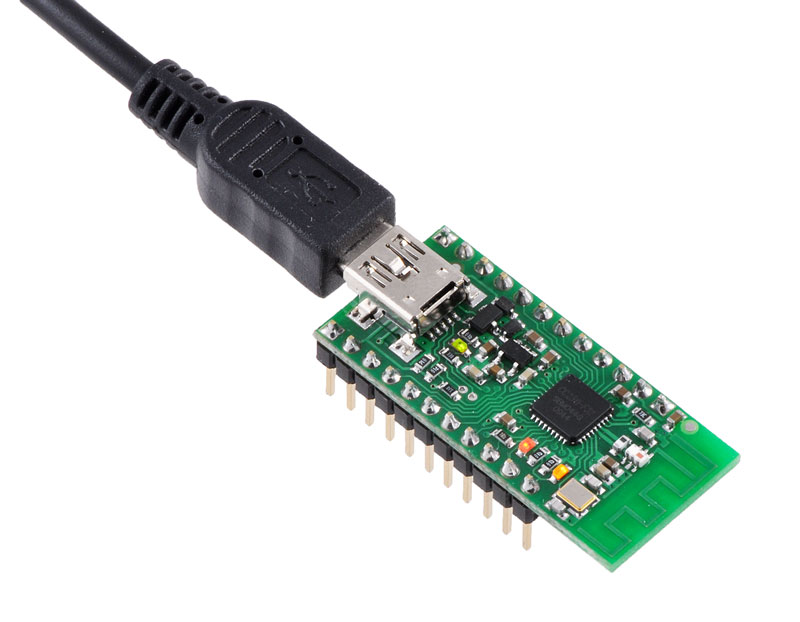 |
Wixel programmable USB wireless module (fully assembled) with USB cable connected. |
|---|
Overview
This app allows you to turn a Wixel into a USB-to-TTL serial adapter capable of baud rates up to 350,000 bps. While this app does not use the radio, it has more features than the USB-to-UART mode of the Wireless Serial App (see Section 9.b).
Installation Instructions
Download the USB-to-Serial App (v1.0) (13k wxl). Open it with the Wixel Configuration Utility and write it to a Wixel. See Section 4 for more information on how this is done.
Pinout
| Pin | Function | |
|---|---|---|
| P1_0 | DTR | general purpose output pin controlled by computer |
| P1_1 | RTS | general purpose output pin controlled by computer |
| P1_2 | DSR | general purpose input pin reported to computer |
| P1_3 | CD | general purpose input pin reported to computer |
| P1_6 | TX | transmits serial data from computer |
| P1_7 | RX | receives data and sends it to the computer |
Description
After you have loaded this app onto a Wixel, the Wixel will appear to the computer as Virtual COM Port (with USB product ID 0x2200). If you are using Windows, you should see an entry labeled “Wixel” in your Device Manager in the “Ports (COM & LPT)” category while the app is running. You can connect to this COM port using a terminal program in order to send and receive data on the TX and RX lines. Typical terminal programs will allow you to set the baud rate, parity type, and number of stop bits. Some terminal programs will allow you to use the control signals (DTR, RTS, DSR, and CD). For more information, on how to use a virtual COM port, see Section 6.
This app supports all integer baud rates between 23 and 350,000 bps.
This app supports all the different types of parity: None, Odd, Even, Mark and Space.
This app supports 1 stop bit or 2 stop bits mode.
The RX line has an internal pull-up resistor, so you can leave this line disconnected.
The DSR and CD input pins have internal pull-up resistors, so when they are disconnected they will read as high (logical 0).
The DTR and RTS output pins are designed for high current (see the information on P1_0 and P1_1 in Section 1.a).
The control signals are all inverted, which means that a logical 0 corresponds to a high voltage (3.3 V) and a logical 1 corresponds to a low voltage (0 V).
This app will discard bytes received on the RX line that have framing errors or parity errors, and it will also throw out bytes if there is an RX buffer overrun. An RX buffer overrun should not happen if you are using a baud rate of 350,000 bps or less.
Example Uses
- The TX line can be used to send commands to a microcontroller or other serial device.
- The RX line can be used to receive data from a microcontroller or other serial device.
- The DTR and RTS lines are general-purpose digital outputs that can be used to control something (such as an LED) from a computer.
- The DSR and CD lines are general-purpose digital inputs that can be connected to a sensor or other circuit and read from a computer.
Caveats
- The CC2511’s UARTs do not actually support 1.5 stop bits, so if you try to set the number of stop bits to 1.5, this app will use 1 stop bit instead.
- The CC2511’s UARTs do not support having 2 stop bits very well, so if you set the number of stop bits to 2, this app may fail to detect framing errors that occur during the second stop bit. Also, the next byte received after the framing error occurred may be discarded even if that byte is valid. This problem only applies to receiving bytes on the RX line; this app has no problem transmitting bytes on the TX line with 2 stop bits.
Caution: The Wixel’s I/O lines are not 5V tolerant. You must use level-shifters, diodes, or voltage dividers to connect the Wixel to outputs from 5V systems. Also, avoid drawing more current from an I/O line than it can provide (see the discussion of P1_0 and P1_1 in Section 1.a). Avoid connecting multiple output pins together.
The Wixel does not support the RS-232 voltage levels typically used by DB9 serial ports. The Wixel’s I/O lines, including the RX and TX lines, operate on voltages between 0 and 3.3 V. To connect the Wixel to an RS-232 serial signal, you will need additional level-shifting and inverting hardware like the Pololu 23201a serial adapter (RS-232 serial is inverted; the Wixel’s serial interface expects non-inverted serial).


Home | Forum | Blog | Support | Ordering Information | Wish Lists | Distributors | BIG Order Form | About | Contact
© 2001–2024 Pololu Corporation



