Orangutan SV-328 + USB Programmer Combo
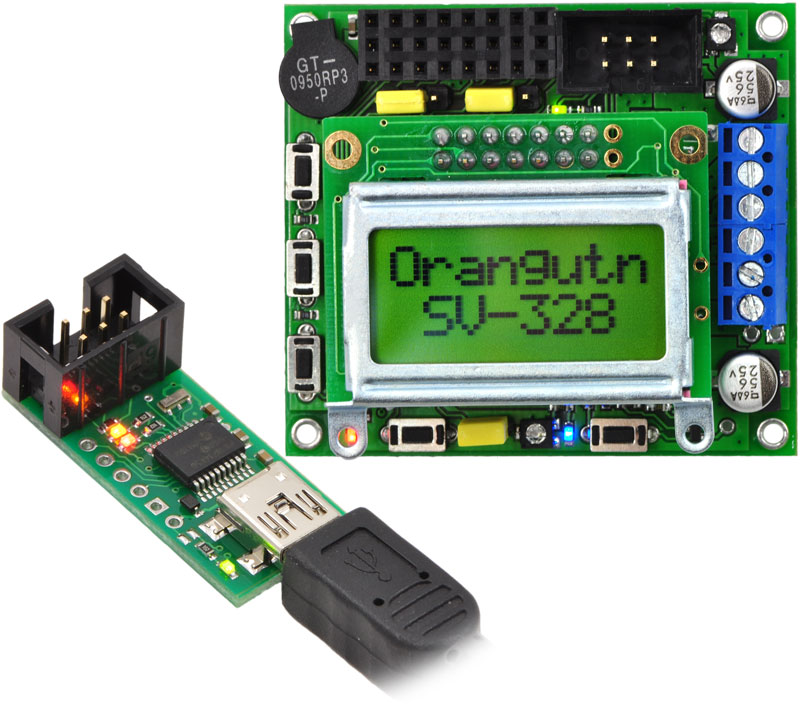
Buy an USB AVR programmer with your Orangutan SV-328 and save! A USB A to mini-B cable is included.
| Description | Specs (0) | Pictures (0) | Resources (8) | FAQs (0) | On the blog (0) | Distributors (0) |
|---|
Documentation and other information
-
Pololu Orangutan SV-xx8 and LV-xx8 User’s Guide (Printable PDF)
User’s guide for the Pololu Orangutan SV-168, SV-328, and LV-168 robot controllers.
-
Pololu AVR Programming Quick Start Guide (Printable PDF)
This guide explains how to get started programming your Orangutan or 3pi Robot in Windows, Linux or Mac OS X. It covers setting up an AVR development environment (Atmel Studio for Windows users), installing the Pololu AVR C/C++ Library, and setting up the Pololu USB AVR Programmer.
-
Pololu USB AVR Programmer User’s Guide (Printable PDF)
The complete guide to using the Pololu USB AVR programmer. This guide covers programming AVR microcontrollers, communicating via the USB-to-TTL-serial adapter, and measuring voltages using the SLO-scope.
-
Pololu AVR C/C++ Library User’s Guide (Printable PDF)
Information about installing and using the C/C++ libraries provided for use with Pololu products.
-
Programming Orangutans and the 3pi Robot from AVR Studio 4
Guide for programming Orangutans and the 3pi robot from the Atmel’s older AVR Studio 4 IDE. It covers installing the Pololu AVR C/C++ Library, and setting up the Pololu USB AVR Programmer.
-
Programming Orangutans and the 3pi Robot from the Arduino Environment (Printable PDF)
Guide to making the Arduino IDE compatible with the 3pi robot and the Orangutan SV-328, Orangutan LV-168, and Baby Orangutan B robot controllers, including Arduino libraries for interfacing with all of their on-board hardware.
File downloads
-
Pololu AVR Development Bundle for Windows (12MB exe)
This bundle contains all the Pololu software you need to get started programming AVRs in Windows: the Pololu AVR C/C++ Library, the Pololu USB AVR Programmer drivers and software, and the Pololu Orangutan SVP drivers. We recommend installing Atmel Studio 7.0 before installing this bundle.
Recommended links
-
Microsoft .NET Framework 3.5
The Microsoft .NET Framework version 3.5 is required for many Pololu configuration, control, and utility programs under Windows. Most computers will have this installed already or can automatically install it over the internet, but you can also get .NET 3.5 directly from Microsoft at this link. If you are installing on a computer without internet access, make sure to get the Full Redistributable Package.
Related products


Related categories


Home | Forum | Blog | Support | Ordering Information | Lists | Distributors | BIG Order Form | About | Contact
© 2001–2026 Pololu Corporation



